A CRM your AI agents
can actually read from.
Pipeline, contacts, deals, tasks — same surface the rep uses, plus a structured context layer the AI can retrieve. Every interaction tracked, every workflow triggerable, every step audited.
Where is the Acme renewal — and what do I need to know before the call tomorrow?
AI
Acme is in Negotiation, lead score 84, renewal due in 18 days. Last touch 6 days ago — your demo recap email, opened twice, no reply. The Q2 NPS for this account came back at 7 / 10 with one open theme: “onboarding velocity for new seats.”
Draft a task to bring an onboarding-pack proposal to the call.
AI
Drafted task on Acme account: “Prep onboarding-pack proposal — addresses the NPS theme. Bring to renewal call tomorrow 10:30.” Due in 18h, linked to deal AC-0142. Save to confirm.
One record, every signal in one place.
Stop alt-tabbing between CRM, survey tool, ticket queue, and the AI:
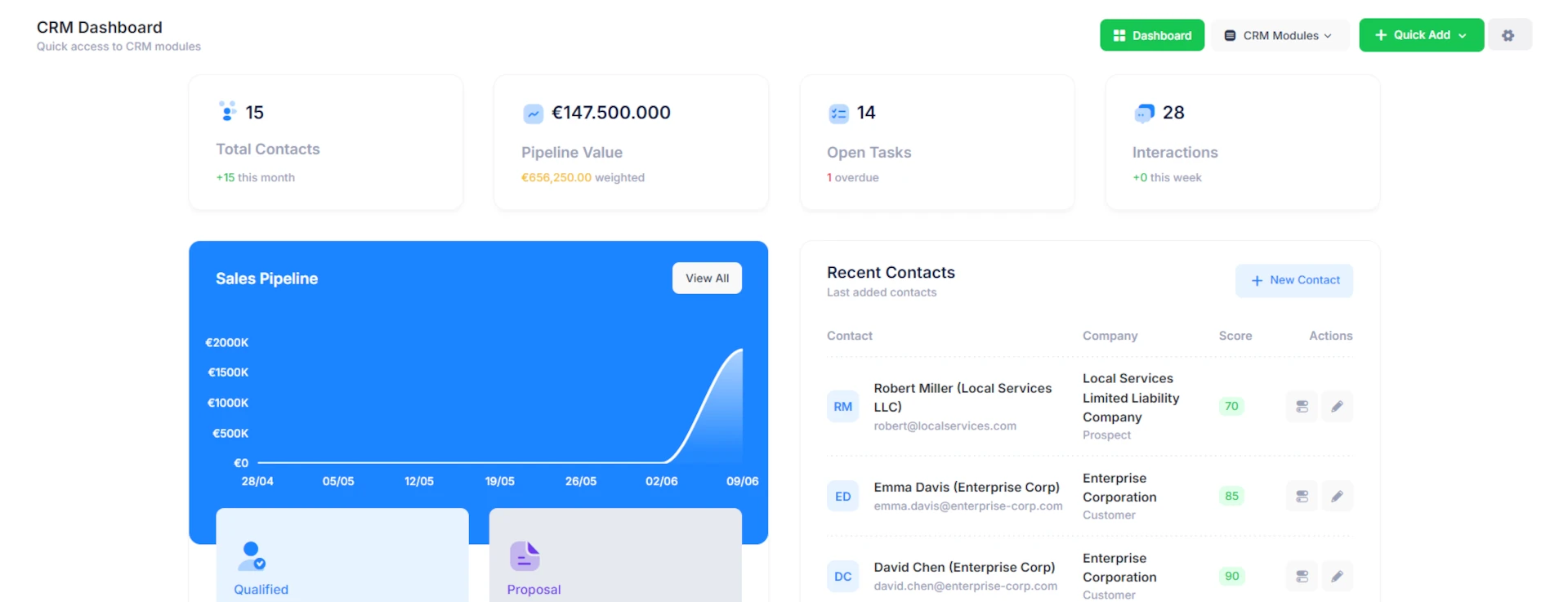
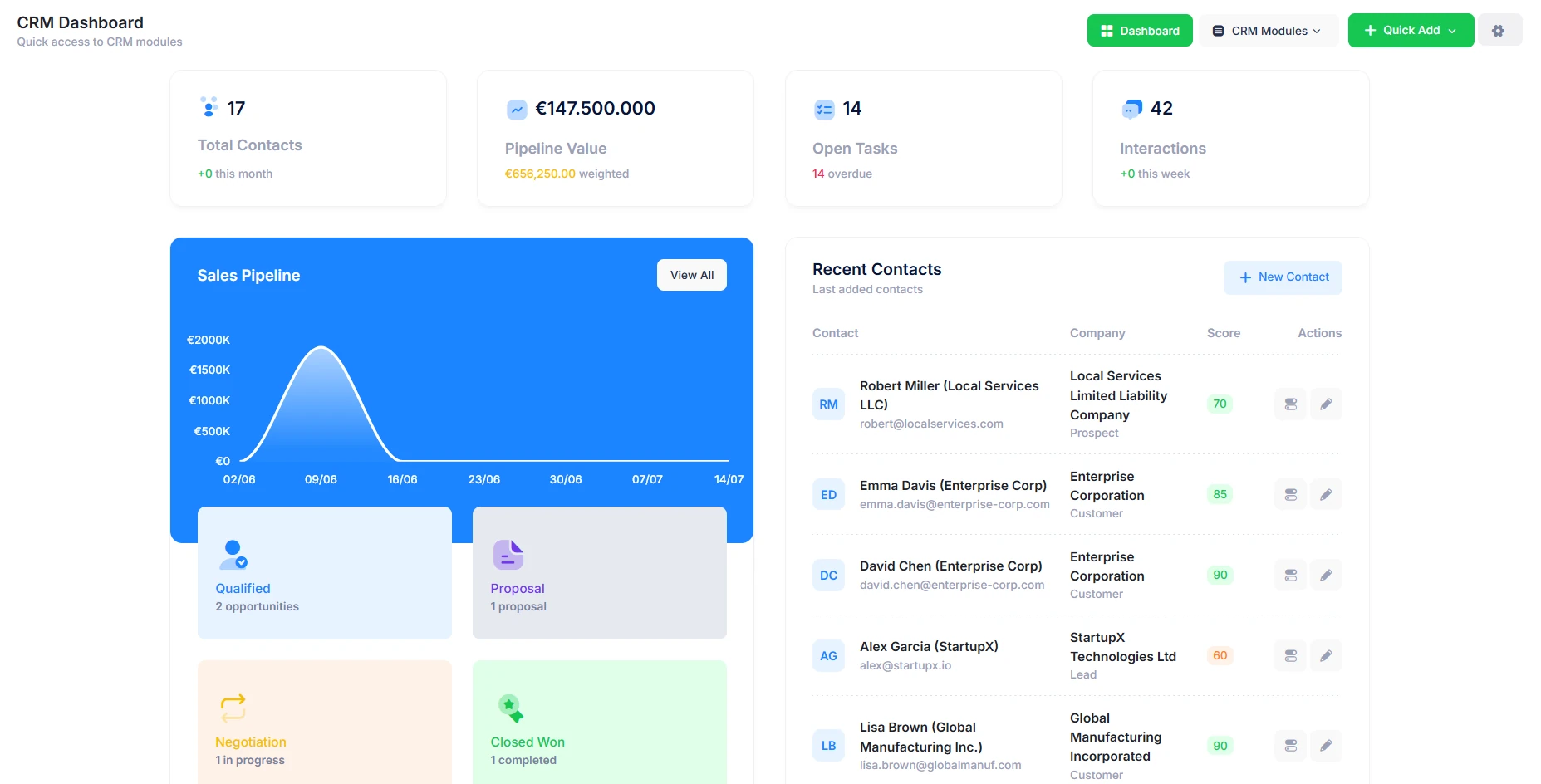
- Contacts and accounts with custom fields, segmentations, and lead scoring
- Pipeline view with drag-and-drop stage moves and full stage-history audit
- Inline survey responses, AI interview summaries, support touchpoints on every account
- Task feed tied to deals — including AI-drafted tasks pending rep approval
- Search across accounts, contacts, deals, and conversations in one query
Automation built in, not bolted on.
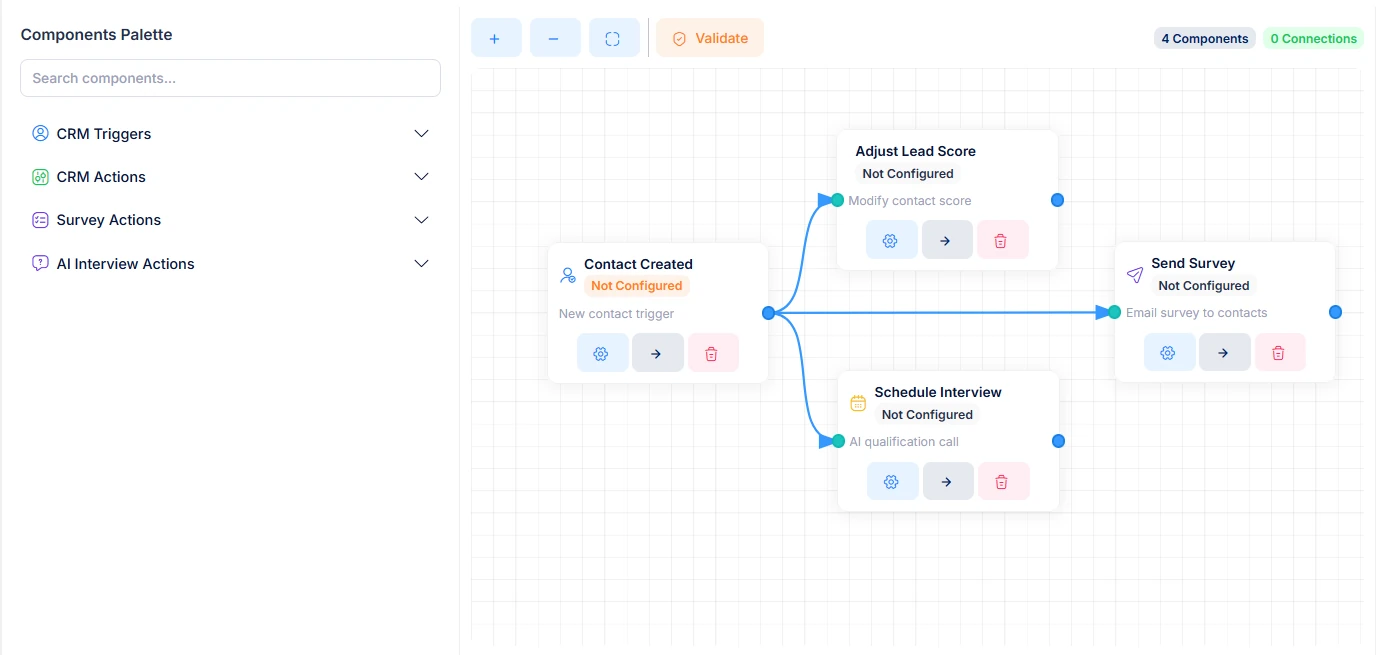
Triggers and actions live where the data lives — no external glue layer:
- Triggers on record events, field changes, lead-score thresholds, stage moves, task outcomes
- Conditions on segments, time windows, prior-state comparisons
- Actions: send email, create task, update fields, fire webhook, schedule an AI interview, notify Slack
- Cross-module: a survey response can update lead score and schedule a follow-up interview in one workflow
- Every run logged for audit — payload, condition outcomes, downstream effects
A sales agent for the reps — and one for the inbound.
Two agent surfaces, same grounding:
- Rep-facing: answer any account question, draft tasks and emails, summarize before a call, never write to the CRM without approval
- Inbound-facing: engage new web leads instantly, qualify with adaptive questions, route hot ones to the rep with a structured summary
- Both cite sources — survey ID, interview ID, prior touchpoints — so the rep can verify
- Permissions enforced at retrieval: an agent assigned to one region cannot see deals in another
Where the CRM-AI loop pays off.
Same engine, different recipes. Each one ships configured, not coded.
CRM-driven workflows in production:
- Inbound Lead Qualification
- AI Sales Agent on Web
- Lead Scoring Refresh
- Pre-Call Briefing
- Pipeline-Stage Triage
- Customer Onboarding
- Churn Risk Detection
- Renewal Heads-Up
- Post-Support CSAT Loop
- Account Health Pulse
- Cross-Sell Opportunities
- Expansion Playbook
- Vendor & Partner Tracking
- RFP Response Routing
- Account Plan Generation
- Win/Loss Interview Loop
- Slack / Teams Account Channels
- RevOps KPI Dashboard
Start Now
For any request, please contact us
CRM FAQ
What RevOps and sales leaders usually ask first.
Is this a full CRM or a layer on Salesforce / HubSpot?
Both. Run it as your primary CRM — pipelines, contacts, deals, tasks, automation — or as an AI-grounded layer that syncs accounts and deals bidirectionally with Salesforce, HubSpot, Pipedrive. The agent layer works the same either way.
Does the AI write to the CRM autonomously?
By default, no. Agents propose tasks, drafts, field updates — the rep approves. Auto-write is configurable per action class. Every action carries an audit trail of who or what approved it.
Can we customize fields, stages, scoring?
Yes. Custom fields with validation, stage workflows with branching, lead-scoring rules with weights — all visual. The AI adapts retrieval to whatever fields you've defined.
How is account-level access controlled?
Permissions scoped by team, region, owner, or custom group. The agent literally cannot retrieve deals outside its scope — the records never reach the LLM. Full audit log on every retrieval.
What integrations ship out of the box?
Email (Gmail, Outlook), calendar, Slack, Microsoft Teams, common CRMs (Salesforce, HubSpot, Pipedrive), and outbound webhooks for anything else.
Can the agent read survey and interview data on an account?
Yes — that's the point. Survey responses, AI interview summaries, support tickets, and contract history all live on the account record. The agent retrieves from them with the same permissions the rep has, citing each source.
Want a walkthrough on your pipeline structure?
Contact Sales